The message usually looks harmless. Facilities sends a note that the lease is ending, leadership approved a new space, and the move date is already circled. For everyone else, that means boxes, floor plans, and new badges. For IT and operations, it means the company’s infrastructure is about to be unplugged, transported, rebuilt, and exposed to risk all at once.
That’s why an office relocation can’t be managed like a furniture project. The desks are visible. The complexity sits behind the desks: switches, firewalls, access points, conference room systems, storage media, circuit orders, SaaS dependencies, and old equipment that still carries sensitive data.
Business mobility is also much higher than many teams expect. Between March 2022 and March 2023, 593 U.S. public companies relocated their headquarters, a 29% increase from the prior year and the largest jump in a decade, according to this corporate relocation data summary. When more companies move, more teams run into the same hard lesson. The move itself isn’t the project. The project is continuity, security, and control.
Navigating the Inevitable Office Move
A clean office move rarely starts cleanly. It usually starts with compressed timelines, partial inventories, and a bad assumption that the IT team can “handle cutover” during move week.
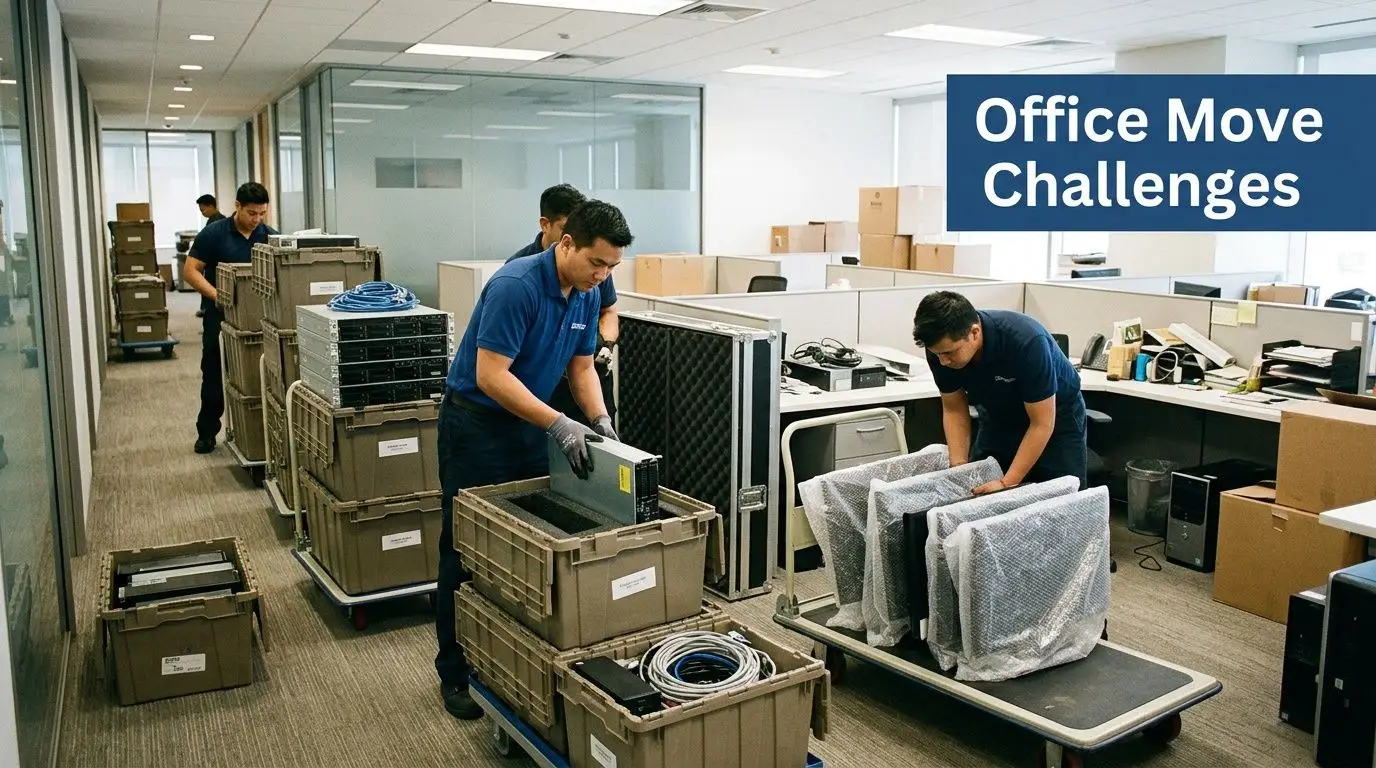
What lands on the IT and facilities team
The moment a move is approved, several questions need answers fast:
- What must stay live: Identify systems that can’t go dark without affecting revenue, service delivery, or compliance.
- What’s moving: Separate active production assets from obsolete gear, surplus endpoints, and storage media that should never be reinstalled.
- Who owns each workstream: Assign one owner for network, one for telecom, one for furniture and physical access, one for disposal, and one for end-user readiness.
- What could fail first: ISP delays, incomplete labeling, bad patching assumptions, and undocumented local dependencies usually cause more trouble than the truck schedule.
Practical rule: If nobody owns chain-of-custody for retired IT assets, you already have a security gap.
Why modern relocations are different
The current relocation cycle is tied to workforce strategy as much as real estate. Teams are shrinking footprints, consolidating rooms, and rebuilding layouts around hybrid work rather than one-to-one assigned seating. That changes what moves, what gets retired, and what should be staged at the new site before staff arrive.
An office relocation today is also more layered than it was a few years ago. You’re not just moving equipment. You’re deciding which assets still belong in the environment, which ones belong in secure disposition, and which ones can return value through buyback or reuse.
The Foundation Strategic Planning and Timeline Development
The best moves feel uneventful on move weekend because the essential work happened months earlier. If planning starts late, the team usually pays for it in rushed vendor decisions, duplicated labor, and downtime nobody budgeted for.
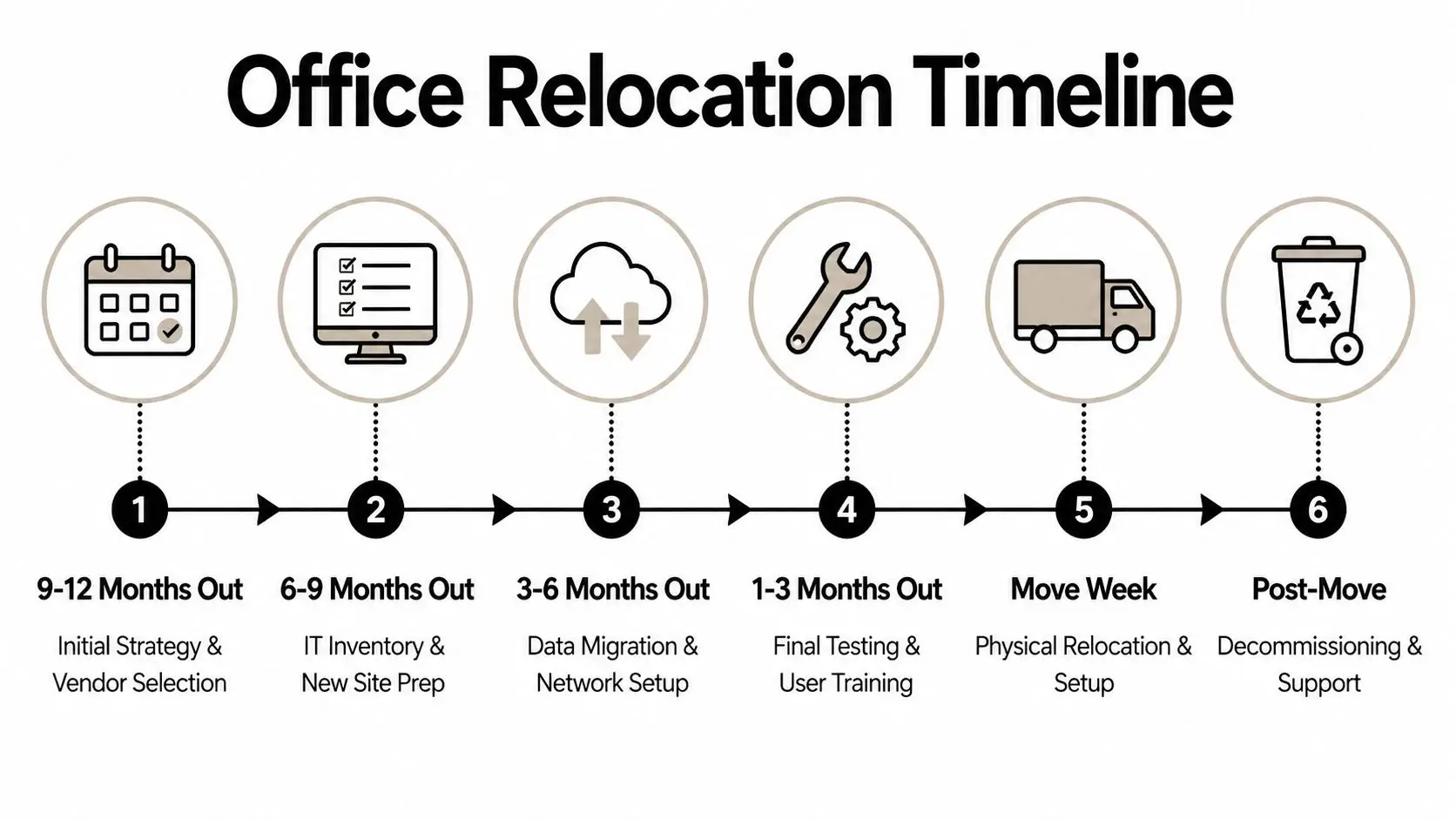
For office relocations, project timelines scale by size: 3 to 4 months for small offices, 6 months for medium offices, and 9 to 12 months for large offices. The same benchmark notes that 70% of chaotic moves stem from poor task delegation and timeline compression, based on office relocation project management guidance.
Build the timeline around dependencies
A relocation schedule should never start with movers. It should start with dependencies that can block occupancy.
A practical sequence looks like this:
Lock scope early
Confirm headcount assumptions, square footage changes, room types, rack requirements, power needs, and what’s being decommissioned.Name a relocation lead
One person needs authority to force decisions, escalate blockers, and run weekly issue reviews.Map long-lead items
Internet circuits, structured cabling, access control, conference room hardware, and electrical work should be tracked separately from general moving tasks.Set a contingency band
Hidden costs show up in after-hours labor, cable remediation, surprise storage, and disposal of retired hardware.
The planning stack that works
I’ve seen the strongest relocation plans use four simple layers instead of one giant spreadsheet.
| Layer | What belongs there | Why it matters |
|---|---|---|
| Governance | owners, approvals, escalation path | prevents stalled decisions |
| Technical readiness | circuits, rack layouts, asset lists, test plans | protects uptime |
| Physical move plan | labels, staging, crate counts, truck sequence | reduces confusion on move day |
| Exit plan | decommissioning, disposal, landlord obligations | closes risk at the old site |
For workplace layout coordination, a detailed resource like this ultimate office space planning guide can help facilities teams connect seating plans and room functions to the technology rollout, especially before final tagging and destination coding begin.
Don’t treat vendors as interchangeable
The move will involve multiple outside firms. Mover, cabling contractor, internet provider, furniture installer, security integrator, and ITAD partner all affect one another. If they work from separate assumptions, you get rework.
That’s why vendor governance belongs in the plan, not in procurement email threads. A useful reference for that side of the project is IT vendor management best practices, especially when several handoffs can affect chain-of-custody and cutover timing.
A compressed office relocation timeline doesn’t create efficiency. It usually hides unresolved decisions until they become emergency work.
Cataloging Your Kingdom IT Asset Inventory and Tagging
Most relocation mistakes begin with a bad inventory. Teams know how many employees they have, but they don’t always know how many docks, spare laptops, unmanaged switches, retired servers, or encrypted drives are still sitting in closets and IDF rooms.
A rigorous IT transition calls for a full IT inventory and dependency mapping 2 to 3 months before the move. The same guidance states that 40% of office moves exceed budgets due to unaddressed IT risks, while structured project management frameworks can cut disruptions by 60%, according to this IT relocation planning reference.
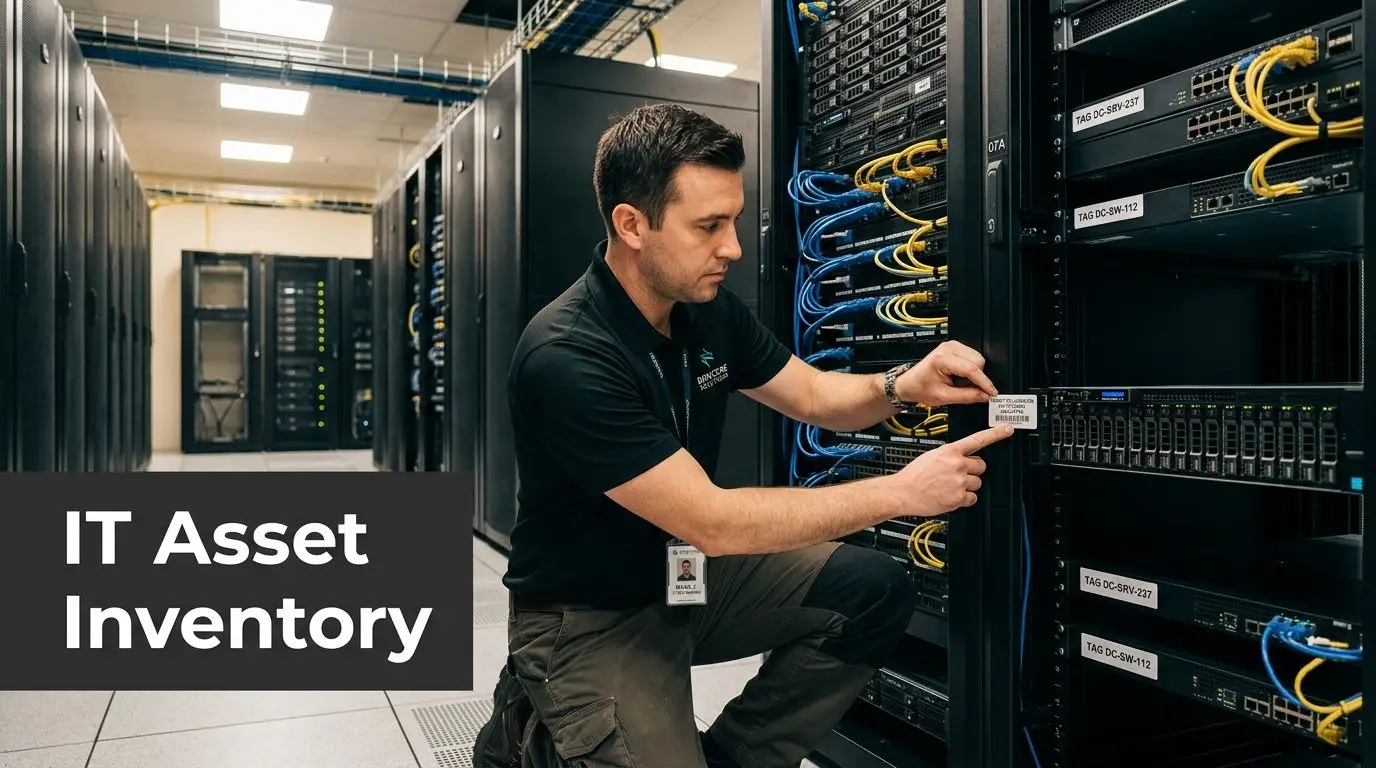
Inventory the environment, not just the hardware
A useful inventory includes more than serial numbers. It should document:
- Core infrastructure: racks, servers, storage, firewalls, switches, UPS units, KVMs, and telecom gear
- User equipment: laptops, desktops, monitors, docks, VoIP phones, printers, scanners, and specialty devices
- Shared systems: conference room kits, digital signage, badge readers, and wireless hardware
- Hidden dependencies: local print servers, room schedulers, circuit IDs, software tied to physical dongles, and systems with static workstation dependencies
If a device exists in the environment but isn’t in the inventory, it won’t get the right decision. Move, store, wipe, recycle, or resell all depend on accurate classification.
Use tags that support decisions
Tagging isn’t just for counting. It should tell the crew what happens next.
A practical tag schema often includes:
- destination room or rack
- department or cost center
- asset owner
- disposition status
- data-bearing or non-data-bearing
- reconnect required or retire
That structure makes move day easier, but it also matters after the trucks leave. If you want stronger governance around those records, IT asset management best practices gives a useful framework for keeping inventory tied to lifecycle decisions.
For broader operational ideas, this article on strategies for moving the office of an IT company is a good reminder that technical teams need inventory discipline before they need speed.
The cleanest move is usually the one that retires the most unknown equipment before move week.
Managing Digital Liabilities Secure Data Destruction
The most dangerous equipment in an office relocation often isn’t the production gear. It’s the retired equipment nobody planned for. Old laptops in a cabinet. A backup appliance from a previous refresh. Loose hard drives in a drawer. Decommissioned servers that still contain regulated information.
That’s where many general moving plans fail. Recent 2024 to 2025 data indicates that 45% of enterprises report data security gaps during relocations, and 15% face fines averaging $500K for improper IT disposal, based on this analysis of overlooked office move risks.
Deletion is not disposition
Dragging files to trash, reimaging a laptop, or removing a server from the rack doesn’t eliminate liability. During a move, assets change hands, leave controlled spaces, and sit in temporary staging areas. If a device won’t return to production, its data needs a formal destruction path.
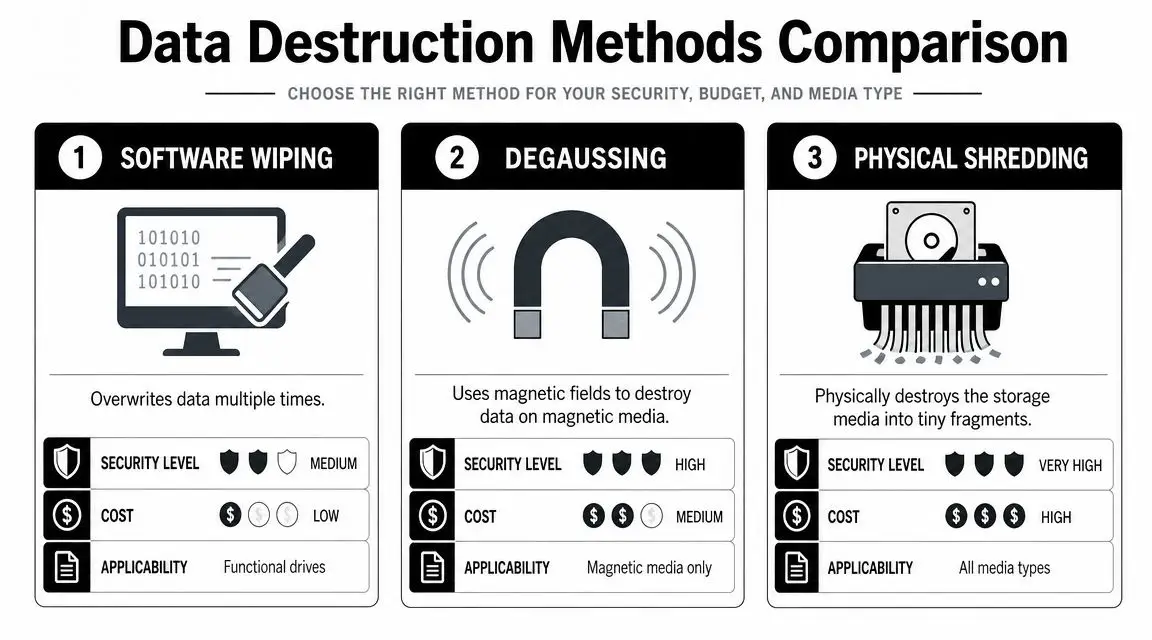
Common methods include:
- Software wiping for functional drives that will be reused under controlled conditions
- Degaussing for magnetic media when physical reuse isn’t the goal
- Physical shredding when policy, media condition, or risk profile calls for irreversible destruction
Match the method to the risk
Healthcare, finance, government, and any team with regulated data should decide destruction method before move week. That decision should align with internal policy, legal retention rules, and documented proof requirements.
The benchmark many ITAD and compliance teams use is NIST SP 800-88 guidance, because it helps translate “get rid of it securely” into a defensible process with documented outcomes.
A secure disposition workflow should include:
- serialized intake
- chain-of-custody records
- approved destruction method by media type
- certificates for data destruction and recycling
- retained audit documentation
If the old office is empty but retired drives are still sitting in a cage, the relocation isn’t complete.
Execution Logistics Staging Transport and Vendor Management
Execution is where planning gets tested. A move can have a solid timeline and still fail because the physical workflow is sloppy. Sensitive electronics don’t tolerate vague labels, improvised packaging, or handoffs that nobody documents.

Set up staging zones that control the move
Every site should have at least two controlled areas. One for assets going to the new office, one for assets being retired or held for disposition. Mixing those streams creates avoidable confusion and can compromise security.
A functional staging plan includes:
- Inbound and outbound separation: keep move assets away from scrap, surplus, and destruction queues
- Protected packing materials: use anti-static wrap, proper bins, rack labeling, and shock-appropriate crating for fragile electronics
- Verification checkpoints: scan or confirm serials at unplug, at load, at unload, and at final placement
Choose specialists, not just movers
A general commercial mover may be fine for desks and file cabinets. That doesn’t mean they should handle arrays, firewall clusters, telecom cabinets, or media that requires custody documentation.
When evaluating providers, look for:
- documented experience with server and network equipment
- crew procedures for disconnect, pack, transport, and staged reconnect
- insurance that reflects technology handling
- chain-of-custody capability
- willingness to follow your tag schema and room sequencing
For teams also supporting hybrid staff during the transition, a practical setup checklist like How to Set Up a Home Office can help standardize temporary workstations for employees who won’t return to the new site on day one.
The removal side needs the same discipline as the move side. A service model like IT asset removal is useful to study because it treats pickup, documentation, and disposition as part of one controlled chain rather than an afterthought.
Smooth relocation logistics come from fewer handoffs, clearer labeling, and a hard separation between production equipment and retired assets.
The Final Mile Post-Move Verification and Value Recovery
The move isn’t finished when the last cart leaves the elevator. The final mile is where teams confirm that the new office works as designed and that the old office doesn’t still hold value, risk, or both.
As of 2024, 30% of companies are actively considering relocating to cities with better workforce availability as remote and hybrid work continue to reshape office needs, according to employee mobility and changing workplace data. That shift makes lifecycle discipline more important. If companies are resizing and reconfiguring their physical footprint, they need a better process for deciding which assets return to service and which ones should be monetized or retired.
Verify in layers
Post-move checks should happen in order, not all at once.
Start with infrastructure:
- switch and firewall status
- WAN connectivity
- wireless coverage
- badge access and camera systems
- conference room platform functionality
Then move to user readiness:
- workstation login
- printer access
- VoIP and softphone operation
- application reachability
- shared drive and cloud access
Finally, close the old site:
- remove leftover media
- confirm decommissioned gear disposition
- reconcile inventory against what arrived, what retired, and what remains in storage
Treat retired equipment as a financial line item
A lot of office relocation budgets absorb old equipment as disposal cost. That’s a missed opportunity. Functional servers, laptops, networking gear, and enterprise devices can often be routed into an asset recovery program instead of being written off as scrap.
That changes the economics of the project. Instead of paying only for removal and destruction, the organization can reduce net relocation cost while still keeping secure handling and environmental compliance intact. For teams evaluating that option, asset recovery services in Georgia shows how buyback and controlled disposition can sit in the same workflow.
The strongest relocations close three loops: operations are restored, liabilities are removed, and residual value is captured.
If your business is planning an office relocation, Beyond Surplus can help with certified electronics recycling, secure IT asset disposition, hard drive destruction, data center de-installation, and asset recovery services that protect data while reducing relocation waste and cost. Contact Beyond Surplus to schedule secure pickup and compliant IT asset disposal.